Businesses spend a significant amount of time performing repetitive activities: entering data, sending emails, generating reports, processing approvals, updating records, assigning tasks, and moving information between systems. Many of these activities are necessary—but they do not always need to be performed manually. Business automation is the use of technology to execute repetitive, rule-based, and structured […]
Businesses spend a significant amount of time performing repetitive activities: entering data, sending emails, generating reports, processing approvals, updating records, assigning tasks, and moving information between systems.
Many of these activities are necessary—but they do not always need to be performed manually.
Business automation is the use of technology to execute repetitive, rule-based, and structured business tasks or workflows with limited manual intervention.
Business automation can help organizations reduce repetitive work, improve process consistency, reduce manual errors, increase operational efficiency, and give employees more time to focus on higher-value activities.
It is also an important part of digital transformation. While digital transformation looks at how technology can fundamentally improve a business, automation provides a practical way to improve individual processes and workflows.
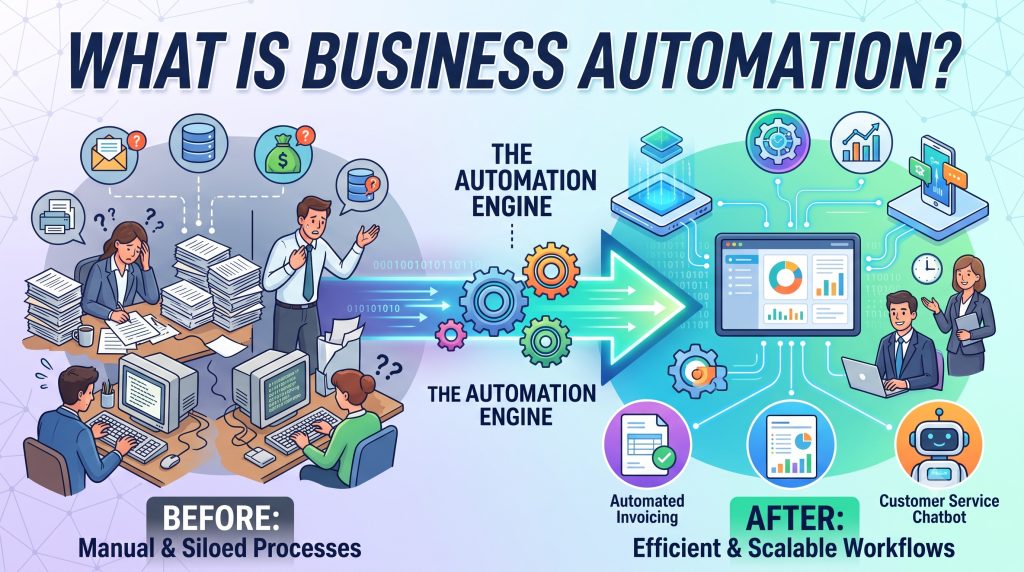
nd processes that would otherwise require manual effort.
For example, instead of an employee manually:
- Receiving a request
- Checking the information
- Sending it to a manager
- Waiting for approval
- Updating a record
- Sending a confirmation
an automated workflow can perform some or all of these steps according to predefined rules.
The objective is not to remove people from every business process.
The objective is to remove unnecessary manual effort from processes where technology can perform the work more efficiently and consistently.
How Is Business Automation Connected to Digital Transformation?
Business automation is closely connected to digital transformation.
Automation is one of the practical mechanisms through which that transformation can happen.
The relationship can be understood as:
Digital Transformation → Process Improvement → Business Automation → Better Business Outcomes
For example:
A company may identify that its employee approval process is slow.
The transformation initiative identifies the problem.
The process is redesigned.
Automation is introduced.
The system automatically routes requests, notifies the appropriate person, records decisions, and updates the relevant information.
The result is a faster and more consistent process.
This is why automation should not be treated as an isolated technology feature. It should be considered as part of a broader business improvement strategy.
Why Do Businesses Need Automation?
As businesses grow, the number of processes they manage also increases.
A small business may initially handle many activities manually because the volume is manageable.
As the organization grows, however, manual processes can create operational friction.
Employees may need to:
- Enter the same information multiple times
- Send repetitive emails
- Create recurring reports
- Follow up on pending tasks
- Route approval requests
- Update records
- Copy information between applications
- Schedule recurring activities
- Monitor process status
- Perform repetitive calculations
Individually, these tasks may appear small.
Collectively, they can consume significant amounts of time.
Business automation allows organizations to identify these repetitive activities and determine which ones can be executed automatically.
What Can Business Automation Do?
Business automation can perform different types of actions depending on the system and process.
Trigger an Action
An event can automatically initiate a process.
Example:
A new customer record is created → a welcome communication is triggered.
Move Information
Data can automatically move from one stage or system to another.
Example:
A completed form → creates a record in a business system.
Assign Tasks
A workflow can automatically assign work to the appropriate person or department.
Example:
A new support request → automatically assigned to the relevant support team.
Request Approval
Automation can route requests according to predefined rules.
Example:
An expense request → sent to the appropriate manager for approval.
Send Notifications
The system can notify users when an event occurs.
Example:
An approval is completed → the requester receives a notification.
Generate Reports
Recurring reports can be generated from available business data.
Example:
At the end of a reporting period → the system generates an operational report.
Update Records
When an action occurs, related information can automatically be updated.
Example:
An invoice is paid → the corresponding payment status is updated.
What Are the Main Types of Business Automation?
Business automation can be divided into several practical categories.
1. Task Automation
Task automation handles individual repetitive activities.
Examples include:
- Sending notifications
- Creating recurring tasks
- Generating documents
- Updating records
- Sending reminders
This is often the simplest starting point for automation.
2. Workflow Automation
Workflow automation connects multiple steps into a structured process.
For example:
Request → Review → Approval → Action → Completion
Instead of employees manually coordinating every stage, the system can move the workflow forward based on predefined rules.
3. Process Automation
Process automation focuses on automating larger business processes rather than individual tasks.
For example:
Employee onboarding
could involve:
- Creating an employee record
- Assigning onboarding tasks
- Sending required information
- Notifying relevant departments
- Tracking completion
The automation manages the process across multiple stages.
4. Integration Automation
Businesses often use multiple applications.
Integration automation allows systems to exchange information.
For example:
Website → CRM → Accounting System → Reporting
Instead of manually transferring information between systems, integrations can automate the movement of data.
5. Intelligent Automation
Intelligent automation combines automation with technologies such as artificial intelligence and machine learning.
Instead of following only fixed rules, the system may analyze information and support more complex decisions.
This creates an important distinction between traditional business automation and newer forms of AI-powered automation.
We will explore that difference in a future article.
What Business Processes Can Be Automated?
Not every process should be automated.
However, many businesses have processes that contain repetitive and predictable activities.
Common examples include:
- Employee onboarding
- Leave requests
- Expense approvals
- Invoice processing
- Customer notifications
- Appointment reminders
- Data entry
- Report generation
- Document workflows
- Task assignment
- Support ticket routing
- Payment reminders
- Inventory notifications
- Sales follow-ups
- Internal approvals
The suitability of a process depends on its structure, volume, rules, complexity, and business impact.
A useful starting point is to look for processes that are:
Repetitive + Rules-based + High-volume + Time-consuming
These characteristics often indicate a strong automation opportunity.
What Makes a Process Suitable for Automation?
Before automating a process, businesses should evaluate it.
High Frequency
If employees perform a task hundreds or thousands of times, automation may create significant value.
Repetitive Steps
Processes with predictable sequences are generally easier to automate.
Clear Rules
If a process follows defined conditions, those rules can potentially be translated into a workflow.
High Manual Effort
Tasks that consume significant employee time can be strong automation candidates.
Low Strategic Value
If a task requires little human judgment but consumes time, automation may allow employees to focus on more valuable work.
Measurable Outcomes
The process should have measurable results such as:
- Processing time
- Cost
- Error rate
- Completion rate
- Response time
- Employee workload
This makes it easier to determine whether automation actually improved the process.
What Should Not Be Automated?
Automation is not automatically beneficial.
Some activities require human judgment, empathy, creativity, negotiation, or complex decision-making.
Businesses should be careful about automating processes where:
- Decisions require significant human judgment
- Rules are unclear or constantly changing
- Exceptions are extremely common
- Human interaction is central to the process
- Errors could create significant consequences
- The process itself has not been properly understood
The objective should be appropriate automation, not maximum automation.
A useful principle is:
Automate the repetitive work. Keep people focused on the work that requires people.
Business Automation vs Manual Processes
Consider a simple approval process.
Manual Process
Employee → Email → Manager → Email → Admin → Spreadsheet → Confirmation
Each step depends on people remembering what to do next.
This can create:
- Delays
- Lost requests
- Duplicate data
- Manual follow-ups
- Inconsistent records
- Limited visibility
Automated Process
Request → Automated Routing → Approval → Record Update → Notification
The system manages the workflow according to predefined rules.
This can provide:
- Faster processing
- Better visibility
- Consistent workflows
- Fewer repetitive tasks
- Centralized records
- Automatic notifications
The exact benefits depend on the process and how well the automation is designed.
What Are the Benefits of Business Automation?
1. Saves Time
Automation can reduce the amount of time employees spend performing repetitive tasks.
2. Reduces Repetitive Work
Employees can spend less time on routine administrative activities.
3. Improves Consistency
Automated workflows can execute defined steps consistently.
4. Reduces Certain Manual Errors
Removing repetitive data entry and manual handoffs can reduce some types of process errors.
5. Improves Process Visibility
Digital workflows can make it easier to see the status of requests, approvals, tasks, and transactions.
6. Speeds Up Processes
Automated actions can happen immediately rather than waiting for manual intervention.
7. Supports Scalability
A well-designed automated process can handle increasing volumes without requiring the same increase in manual effort.
8. Improves Employee Productivity
Employees can redirect time from repetitive administrative tasks toward activities requiring analysis, communication, problem-solving, and decision-making.
9. Creates Better Data
Automated processes can standardize how information is captured and updated.
10. Improves Customer Experience
Faster responses, notifications, processing, and service workflows can improve the overall customer experience.
Does Business Automation Mean Replacing Employees?
This is one of the most common misconceptions about automation.
Business automation is primarily about changing how work is performed.
A business can automate a repetitive task while keeping people responsible for:
- Decisions
- Oversight
- Exceptions
- Customer relationships
- Strategy
- Problem-solving
- Creative work
- Complex communication
For example, an automated expense workflow can collect information, check predefined rules, route the request, and notify users.
A manager may still be responsible for approving the expense.
The technology handles the administrative workflow.
The person handles the decision.
How Does Business Automation Work?
A typical automation workflow can be understood through five stages.
1. Trigger
Something happens that starts the workflow.
Examples:
- A form is submitted
- A record is created
- A payment is received
- A deadline is reached
- A customer makes a request
2. Rules
The system evaluates predefined conditions.
For example:
If expense amount > predefined limit → Manager approval required
3. Action
The system performs an action.
Examples:
- Send notification
- Create task
- Update record
- Generate document
- Assign request
4. Integration
If necessary, the workflow communicates with another system.
For example:
CRM → Accounting → Reporting
5. Completion
The system records the outcome and moves the process to its next stage.
This creates a repeatable workflow that does not require employees to manually coordinate every step.
A Simple Business Automation Example
Imagine a company that receives customer enquiries through its website.
Without Automation
- Customer submits enquiry
- Employee checks the website
- Employee copies the information
- Employee creates a customer record
- Employee sends an acknowledgement
- Employee assigns the enquiry
- Employee follows up manually
With Automation
- Customer submits enquiry
- Customer record is automatically created
- Confirmation is automatically sent
- Enquiry is automatically assigned
- Follow-up task is automatically created
- Status is tracked in the system
The employee still handles the customer relationship.
The automation handles the repetitive administrative work.
How Should a Business Start Automating Processes?
Businesses should avoid automating processes simply because automation technology is available.
A structured approach is more effective.
Step 1: Map the Current Process
Document how the process currently works.
Identify every major step, person, system, input, output, and decision point.
Step 2: Identify Repetitive Activities
Look for tasks that employees perform repeatedly.
Step 3: Identify Bottlenecks
Determine where delays or unnecessary manual effort occur.
Step 4: Simplify the Process
Do not automate unnecessary steps.
First ask:
Can this step be removed, simplified, or combined?
Step 5: Select the Automation Opportunity
Choose a process with clear business value.
Step 6: Define the Rules
Determine what triggers the process, what conditions apply, and what actions should occur.
Step 7: Implement
Configure the appropriate software, workflow, integration, or automation technology.
Step 8: Test
Test normal cases as well as exceptions.
Step 9: Train Users
Employees need to understand the new process and their responsibilities.
Step 10: Measure Results
Compare the process before and after automation.
How Do You Measure Business Automation Success?
Automation should be measured using business outcomes.
Useful metrics include:
| Metric | What It Measures |
|---|---|
| Processing time | How long the process takes |
| Manual effort | Employee time required |
| Error rate | Frequency of process errors |
| Completion rate | Percentage of processes completed successfully |
| Response time | How quickly users or customers receive a response |
| Cost per process | Operational cost |
| Throughput | Number of processes completed |
| Employee workload | Manual workload before and after automation |
For example, if an approval process previously required two days and now takes several hours, the organization can measure that improvement.
The important point is to measure outcomes, not simply the number of automations implemented.
Common Business Automation Challenges
Automation can create problems when it is poorly designed.
Automating a Bad Process
If a process is inefficient, automating it may simply make the inefficient process happen faster.
Over-Automation
Not every step requires automation.
Too much automation can make workflows complicated and difficult to manage.
Poor Data Quality
Automation depends on reliable information.
Incorrect or incomplete data can cause automated processes to produce incorrect results.
Lack of Integration
Disconnected systems can limit the effectiveness of automation.
Employee Resistance
Employees may need training and a clear understanding of why the process is changing.
Poor Exception Handling
Real-world processes rarely follow the ideal path every time.
Automation should account for exceptions and provide mechanisms for human intervention.
Business Automation and Artificial Intelligence
Traditional business automation generally follows predefined rules.
For example:
IF condition → THEN action
AI-powered automation can introduce additional capabilities.
AI may help a system:
- Understand unstructured information
- Classify information
- Generate responses
- Extract information from documents
- Identify patterns
- Support decisions
- Predict outcomes
- Adapt to more complex inputs
This creates a progression:
Manual Process → Digital Process → Rule-Based Automation → AI-Assisted Automation
However, AI automation is not automatically better than traditional automation.
The appropriate approach depends on the process.
A simple, predictable workflow may only need rule-based automation.
A process involving large amounts of unstructured information may benefit from AI.
This distinction will be explored in greater detail in our upcoming article:
AI Automation vs Traditional Business Automation: What Is the Difference?
Business Automation and the Future of Work
As businesses adopt more automation, the nature of work can change.
Employees may spend less time performing repetitive administrative activities and more time working on:
- Customer relationships
- Analysis
- Strategy
- Problem-solving
- Creativity
- Decision-making
- Innovation
- Process improvement
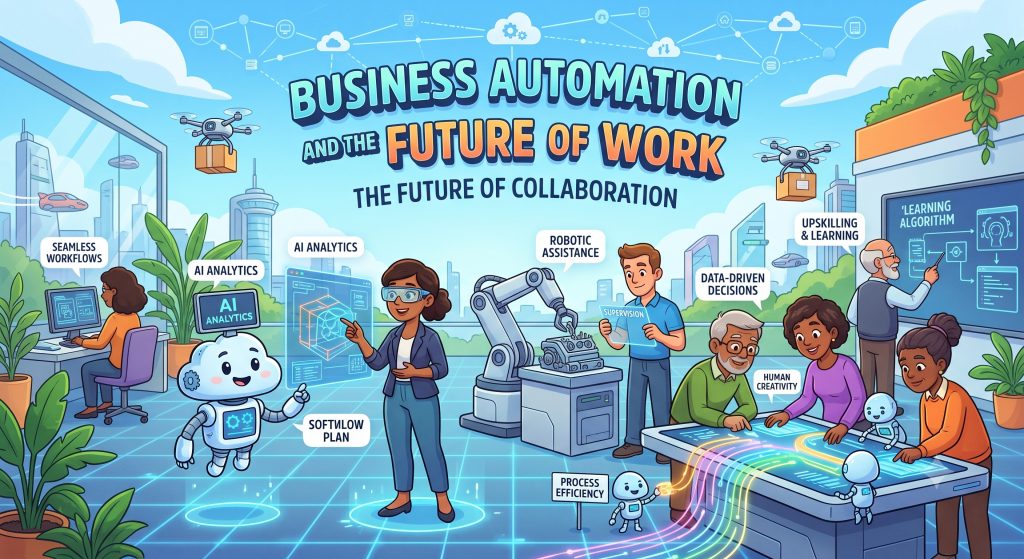
This does not mean every business process will become fully automated.
Instead, the future of business operations is likely to involve a combination of:
People + Automation + AI + Data + Connected Systems
The competitive advantage comes from determining how these components should work together.
What Are the First Business Processes You Should Automate?
There is no universal list that applies to every organization.
The right starting point depends on the business model, processes, technology environment, and operational priorities.
However, businesses can begin by examining processes involving:
- Repetitive data entry
- Recurring notifications
- Approval workflows
- Report generation
- Employee administration
- Customer follow-ups
- Invoice processing
- Task assignment
- Document generation
- Routine communication
In our next article, we will examine these opportunities in more detail:
10 Business Processes That Can Be Automated
That article will move from the concept of automation into practical examples of processes businesses can evaluate.
Business Automation Checklist
Before automating a process, ask:
- Is this process repetitive?
- How frequently does it occur?
- How much employee time does it consume?
- Does it follow clearly defined rules?
- Where are the current bottlenecks?
- Are there unnecessary steps?
- Can the process be simplified first?
- What systems are involved?
- Does the process require human judgment?
- What exceptions occur?
- What could go wrong if automation fails?
- How will success be measured?
- Who is responsible for monitoring the process?
If the answers indicate that the process is repetitive, predictable, measurable, and suitable for technology, it may be a strong automation candidate.
Frequently Asked Questions
What is business automation?
Business automation is the use of technology to automatically execute repetitive tasks and business workflows with limited manual intervention.
What is an example of business automation?
An example is automatically routing an employee leave request to the appropriate manager, recording the approval decision, updating the employee record, and notifying the employee.
Is business automation the same as digital transformation?
No. Business automation is one component of digital transformation. Digital transformation covers broader changes involving people, processes, technology, data, customer experience, and business strategy.
What processes can businesses automate?
Businesses can automate many repetitive and rules-based activities, including approvals, notifications, data entry, report generation, task assignment, document workflows, invoice processing, and customer follow-ups.
Does automation replace employees?
Automation does not inherently replace employees. It can reduce repetitive administrative work and allow employees to focus on activities requiring human judgment, communication, creativity, and decision-making.
What is the difference between automation and AI automation?
Traditional automation generally follows predefined rules and workflows. AI automation can use artificial intelligence to interpret information, identify patterns, generate content, classify data, or support more complex decisions.
Should every business automate its processes?
No. Automation should be applied selectively. Businesses should prioritize processes where automation can produce meaningful improvements in efficiency, consistency, speed, cost, or customer experience.
How do I know which process to automate first?
Start by identifying processes that are frequent, repetitive, time-consuming, rules-based, and measurable. Then evaluate the potential business impact and implementation complexity.
Key Takeaways
- Business automation uses technology to execute repetitive tasks and workflows with limited manual intervention.
- Automation is a practical component of digital transformation.
- The best automation opportunities are usually repetitive, rules-based, high-volume, and measurable.
- Businesses should simplify processes before automating them.
- Automation does not mean removing people from every process.
- Human judgment remains important for decisions, exceptions, relationships, and complex work.
- Traditional automation and AI-powered automation solve different types of problems.
- Automation should be measured by business outcomes, not simply by the number of workflows created.
- A successful automation strategy combines people, processes, technology, data, and appropriate levels of automation.
From Digital Transformation to Business Automation
Digital transformation provides the broader direction.
Business automation provides one of the practical mechanisms for turning that direction into operational improvements.
A business does not need to automate everything at once.
It needs to identify where manual work creates unnecessary friction, understand the process, simplify it, and determine where technology can create measurable value.
Related Topics
Share this post

admin
Published on October 21, 2026 • 15 min read
Discussion 0
No comments yet
Be the first to share your thoughts and join the conversation.
Leave a Comment
Your email address will not be published. Required fields are marked *