Ever felt like you’re spending half your workday just moving data from one tab to another? An AI agent can automate repetitive tasks and save you time. We’ve all been there. You copy an email, paste it into the CRM, check a spreadsheet, and look up an invoice, then you’re exhausted. For a long time, […]
Ever felt like you’re spending half your workday just moving data from one tab to another? An AI agent can automate repetitive tasks and save you time.
We’ve all been there.
You copy an email, paste it into the CRM, check a spreadsheet, and look up an invoice, then you’re exhausted.
For a long time, AI agent promised to fix this; instead, it offered a smarter search engine or clever chatbot.
That era is officially winding down. Meet AI agents.
If traditional AI is like an intern who can summarize books but needs steps, AI agent becomes a digital coworker. You give it an objective, and it figures out how to get the job done.
Let’s break down what these systems actually are, how they work, and why every business is suddenly talking about them.
What Actually Is an AI Agent?
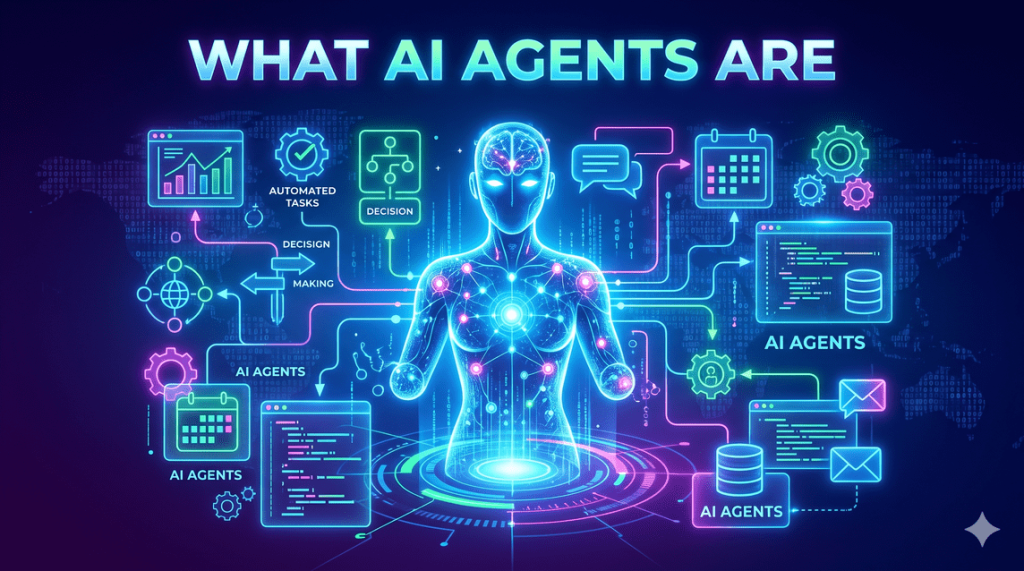
At its core, an AI agent is a software system designed to pursue a defined goal. It operates autonomously toward that goal.
The magic word here is action.
If you ask a standard generative AI tool how to cut wait times, the AI agent will provide best practices.
However, giving that same prompt to a generic tool as a goal—“Reduce our customer response time”—won’t just lecture you.
It will dive into your support data, sniff out bottlenecks, review available resources, and execute approved workflows to fix them.
It doesn’t just generate text; it gets things done.
How Do They Actually Work for an AI agent?
Consider how you tackle a messy task like sorting this week’s sales leads. First, you open your CRM, read the notes, and cross-reference previous interactions. Finally, you figure out who’s actually ready to buy and update your calendar.
An AI agent follows that exact same human-like loop.
Similarly, it repeats the same steps.
- Perception: It looks at the incoming data—whether that’s a support ticket, an email thread, or a database entry.
- Reasoning: It figures out what the data actually means and what needs to happen next.
- Planning: Instead of just reacting, it breaks down the objective into a step-by-step game plan.
- Tool Use: This is the game-changer. It reaches outside of itself and interacts with your actual software—your CRM, Google Calendar, email, or accounting tools.
- Memory: It remembers context from earlier interactions so it doesn’t start from scratch every single time.
- Action: It does the work (e.g., updates the record, drafts the email, schedules the sync).
- Evaluation: It checks its own work to see if the goal was met, or if it needs to loop in a human.
Wait, Aren’t These Just Chatbots?
In reality, an AI agent is essentially a conversation interface.
Moreover, you talk to it, and it talks back.
An AI agent uses conversation as an option, but its real value lies in the back-end plumbing.
While a chatbot tells you your package is delayed, an AI agent can track down the carrier API.
It can check the warehouse inventory.
It can spot a logistics delay.
It automatically files a ticket and notifies the customer before they realize there’s a problem.
And unlike traditional automation that breaks down when a comma is out of place, AI agents thrive on ambiguity.
Moreover, they can read messy human text, make judgment calls, and adapt on the fly.
Where Are Businesses Using Them?
You won’t find AI agents taking over entire companies tomorrow morning.
They are sneaking into specific departments where repetitive work eats up hours.
- Customer Support: Triaging incoming tickets, searching internal knowledge bases, and handling routine refunds automatically.
- Sales: Scraping new leads, enriching CRM profiles, and prepping meeting notes before a big call.
- IT Operations: Monitoring system health, catching server errors, and running initial diagnostic troubleshooting.
- Finance: Matching invoices, flagging anomalies, and handling routine expense categorization.
- HR & Knowledge Management: Onboarding new hires, answering internal policy questions, and pulling up company documents instantly.
The Catch: Why You Can’t Just Give AI the Keys to the Kingdom
Additionally, Let’s be honest: giving software the autonomy to take actions on your behalf sounds terrifying if it goes wrong. Moreover, A chatbot hallucinating a wrong fact is annoying. Furthermore, An AI agent hallucinating a decision and autonomously deleting customer databases or refunding the wrong accounts is a disaster.
Furthermore, this is why permissions and security are everything.
You wouldn’t give a brand-new temp employee the keys to your bank account on day one.
You shouldn’t give the agent unrestricted access either.
Additionally, successful deployment relies on the least privilege rule.
Give the agent only the access it needs for its specific job.
Keep a human firmly in the loop for high-stakes decisions, such as approving payments or sending mass emails.
How to Get Started Without Breaking Everything
If you’re eager to bring AI agents into your business operations, resist the urge to buy the flashiest tool on the market. Start practical:
- Spot the friction: Find a repetitive, multi-step process that everyone on your team secretly hates doing.
- Map it out: Write down every single step, app, and decision involved in that workflow.
- Set the boundaries: Define strictly what the agent is allowed to read, modify, and execute.
- Keep humans in the loop: Let the AI do the heavy lifting—like drafting an invoice or prepping a report—while a human gives the final green light.
- Measure real outcomes: Track actual hours saved and error rates, not just how cool the tech looks in action.
The Bottom Line
AI agents represent the moment software stops being a passive tool we stare at.
It starts becoming an active participant in our daily workflows.
The businesses that win won’t be the ones that try to replace their entire workforce with code.
Moreover, they’ll be the ones who figure out how to pair human judgment with autonomous execution. They build a hybrid team where people focus on strategy, and agents handle the grind.
Related Reading
Related Topics
Share this post

admin
Published on October 21, 2026 • 5 min read
Discussion 0
No comments yet
Be the first to share your thoughts and join the conversation.
Leave a Comment
Your email address will not be published. Required fields are marked *