Business automation is no longer limited to large enterprises with complex technology infrastructure. Businesses of all sizes perform repetitive activities every day. These tasks include processing invoices, managing requests, follow-ups, reports, and approvals. Why Businesses Outgrow Spreadsheets | Migobucks Tech explains why automation matters. Why Businesses Outgrow Spreadsheets | Migobucks Tech explains why. These activities […]
Business automation is no longer limited to large enterprises with complex technology infrastructure.
Businesses of all sizes perform repetitive activities every day.
These tasks include processing invoices, managing requests, follow-ups, reports, and approvals.
Why Businesses Outgrow Spreadsheets | Migobucks Tech explains why automation matters.
Why Businesses Outgrow Spreadsheets | Migobucks Tech explains why. These activities follow predictable steps and rules, making them potential candidates for automation.
The next question is more practical:
What business processes can actually be automated?
This article, Why Businesses Outgrow Spreadsheets | Migobucks Tech, examines 10 common business processes that can be automated.
It also shows how automation works, the potential benefits, and what businesses should consider before implementing it.
Many repetitive, rules-based, high-volume, and measurable business processes can be partially or fully automated.
Ten common examples include:
- Employee on boarding
- Leave and attendance management
- Expense approvals
- Invoice processing
- Customer enquiry and lead management
- Customer follow-ups
- Document generation and management
- Approval workflows
- Reporting and data collection
- Task assignment and notifications
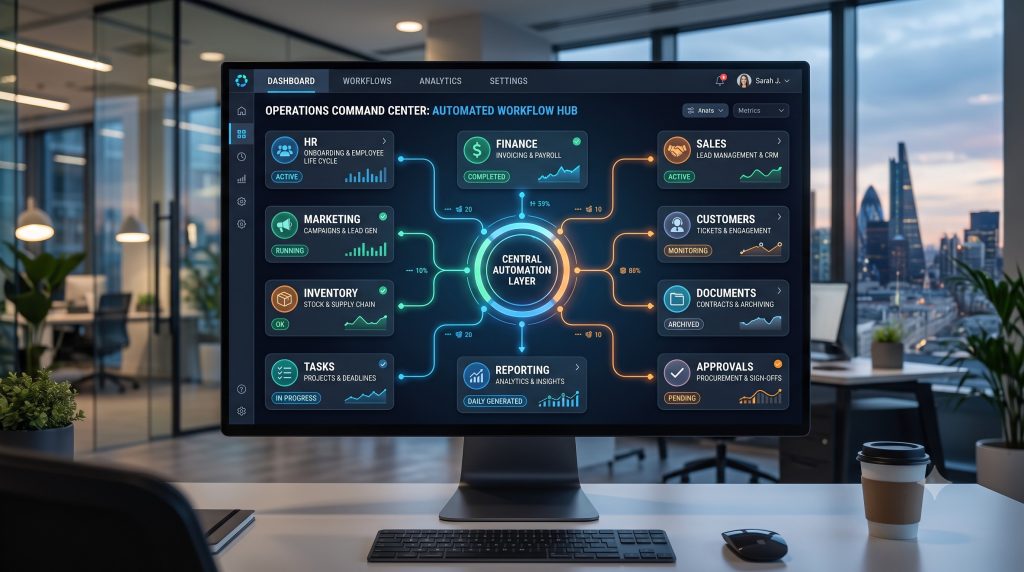
The level of automation will depend on the organization’s processes, software, integration, data quality, and business requirements.
Not every process should be completely automated – AI Automation vs Traditional Automation
In many cases, the most effective approach is to automate repetitive administrative work while keeping people responsible for decisions, exceptions, relationships, and oversight.
1. Employee Onboarding
Employee on boarding often involves multiple departments and several administrative steps.
A typical manual on boarding process might require HR to:
- Collect employee information
- Verify documents
- Create an employee record
- Notify relevant departments
- Assign on boarding tasks
- Share policies and documents
- Set up access
- Track completion
- Follow up on pending activities
When these activities are managed manually through email, spreadsheets, and documents, important steps can be missed.
How Can Employee Onboarding Be Automated?
A digital on boarding workflow could begin when a new employee record is created.
The system can then:
Create employee record → Assign on boarding tasks → Notify departments → Track completion → Send reminders → Record completion
For example, the system could automatically notify the relevant department when a new employee requires equipment or system access.
Benefits
Automation can help:
- Standardize on boarding
- Reduce administrative work
- Improve visibility
- Reduce missed tasks
- Speed up on boarding
- Create a consistent employee experience
What Still Requires People?
HR and managers may still need to make decisions, conduct orientation, communicate with employees, and handle exceptions.
Automation manages the workflow—not the entire employee relationship.
2. Leave and Attendance Management
Leave and attendance processes can generate significant administrative work, especially as organizations grow.
Employees may need to:
- Submit a leave request
- Select dates
- Provide relevant information
- Wait for approval
- Receive confirmation
- Have attendance records updated
In a manual system, HR may need to verify balances, communicate with managers, update records, and prepare reports.
How Can It Be Automated?
A workflow can connect the request, approval, employee record, and notification.
Leave Request → Rule Check → Manager Approval → Record Update → Employee Notification
Depending on the organization’s rules, the system may automatically check available leave balances or route the request to the appropriate approver.
Benefits
- Faster leave processing
- Reduced manual data entry
- Better leave visibility
- Automatic notifications
- Centralized records
- Easier reporting
Important Consideration
Leave policies can vary significantly between organizations.
Automation should therefore be configured around the actual business rules rather than forcing every organization into the same workflow.
3. Expense Approval
Expense management is another process that often contains repetitive administrative steps.
An employee may submit an expense, attach supporting information, wait for approval, and then wait for the expense to be processed.
Finance teams may need to manually review and track each request.
Automated Expense Workflow
A basic automated process could look like:
Expense Submitted → Validation → Approval Routing → Approval/Rejection → Record Update → Notification
Rules can determine where the request goes.
For example:
Expense within predefined limit → Standard approval
Expense above predefined limit → Additional approval
Benefits
Automation can help organizations:
- Speed up approvals
- Standardize the process
- Track pending expenses
- Reduce manual follow-ups
- Maintain centralized records
- Improve financial visibility
Human Role
Financial decisions, policy exceptions, and unusual expenses may still require human review.
4. Invoice Processing
Invoice processing is a common source of repetitive administrative work.
A business may receive invoices through email, upload them manually, verify information, route them for approval, record them, and track payment status.
How Can Invoice Processing Be Automated?
A workflow could be:
Invoice Received → Information Captured → Validation → Approval → Accounting Record → Payment Status
Depending on the technology being used, information can potentially be extracted from documents and matched against existing records.
Automation can also trigger notifications when invoices require approval or when payment deadlines approach.
Benefits
- Faster processing
- Reduced manual data entry
- Better invoice tracking
- Fewer repetitive tasks
- Improved visibility into outstanding invoices
Important Consideration
Invoice automation requires reliable financial data and clearly defined approval rules.
Financial controls should remain in place even when parts of the process are automated.
5. Customer Enquiry and Lead Management
Sales teams often receive inquiries through websites, forms, email, social channels, phone calls, and other sources.
Without a structured process, inquiries can be missed or followed up inconsistently.
Automated Lead Workflow
A business can create a workflow such as:
New Enquiry → Customer Record → Lead Classification → Assignment → Notification → Follow-Up
When an inquiry arrives, the system can automatically create or update a customer record and assign the inquiry to the appropriate salesperson.
Benefits
- Faster response
- Fewer missed inquiries
- Consistent lead handling
- Automatic assignment
- Better visibility into sales activity
- Improved follow-up tracking
Human Role
Sales representatives still need to understand customer needs, communicate, negotiate, and build relationships.
Automation handles the administrative coordination around the sales process.
6. Customer Follow-Ups
Following up with customers is important, but manually remembering every follow-up can become difficult as the customer base grows.
Employees may need to remember:
- Who needs a follow-up
- When to contact them
- What was discussed
- What action is required
- Whether the customer responded
How Can Follow-Ups Be Automated?
A system can create reminders or trigger communications based on predefined events.
For example:
Enquiry Received → Follow-Up Task Created
or:
Quotation Sent → Follow-Up Reminder After Defined Period
The system can notify the responsible employee rather than requiring them to remember every activity.
Benefits
- Fewer missed follow-ups
- Better sales organization
- Improved customer communication
- More consistent processes
- Better visibility into pending activities
Human Role
The timing, message, and relationship still require human judgment in many situations.
7. Document Generation and Management
Businesses create large numbers of documents.
Examples include:
- Letters
- Contracts
- Invoices
- Certificates
- Reports
- Employee documents
- Customer communications
- Internal forms
Creating every document manually can be time-consuming.
How Can Document Processes Be Automated?
A system can use predefined templates and business information to generate documents.
For example:
Record Created → Template Selected → Information Inserted → Document Generated → Stored
This can reduce repetitive formatting and data-entry work.
Benefits
- Faster document creation
- Consistent formatting
- Reduced manual entry
- Centralized document management
- Easier retrieval
Important Consideration
Documents containing legal, financial, or sensitive information may still require human review before they are finalized.
8. Approval Workflows
Approvals exist across almost every organization.
Examples include:
- Purchase requests
- Expenses
- Leave requests
- Discounts
- Contracts
- Budgets
- New vendors
- Internal requests
Manual approval processes often rely on email chains and personal follow-ups.
Automated Approval Workflow
A workflow can define:
Request → Rule Evaluation → Approver → Decision → Notification → Record Update
The system can automatically determine who needs to approve a request based on predefined rules.
Benefits
- Faster approvals
- Clear accountability
- Better process visibility
- Reduced email dependency
- Automatic notifications
- Easier audit trails
Human Role
The decision itself may remain entirely human.
Automation simply ensures that the request reaches the right person and that the outcome is recorded.
9. Reporting and Data Collection
Reports often require employees to collect information from multiple sources, clean it, combine it, and format it.
This can become particularly time-consuming when reports are produced regularly.
How Can Reporting Be Automated?
A business system can collect information continuously and generate reports according to predefined schedules or conditions.
For example:
Business Data → Data Processing → Report Generation → Distribution
A weekly operational report could be generated automatically instead of being manually prepared every week.
Benefits
- Reduced reporting workload
- Faster access to information
- More consistent reports
- Better visibility
- Reduced repetitive data collection
Important Consideration
Automated reporting is only as useful as the underlying data.
Poor-quality data can produce inaccurate reports regardless of how sophisticated the automation is.
10. Task Assignment and Notifications
Many business processes involve assigning work to employees.
Without automation, managers or administrators may need to manually create tasks, assign them, monitor progress, and send reminders.
Automated Task Workflow
A business can define rules such as:
Event Occurs → Task Created → Employee Assigned → Notification Sent → Deadline Tracked → Reminder Triggered
For example, when a new support request is created, the system can automatically assign it to the appropriate team.
Benefits
- Faster task assignment
- Fewer missed activities
- Better accountability
- Automatic reminders
- Improved workflow visibility
Human Role
Employees still complete the work and make decisions where necessary.
Automation simply coordinates the process around that work.
What Do These 10 Processes Have in Common?
Although these processes belong to different departments, many share the same characteristics.
They often involve:
- Repetitive tasks
- Clearly defined steps
- Rules and conditions
- Multiple hand-offs
- Notifications
- Data entry
- Approvals
- Status changes
- Recurring activities
This is why they are often good candidates for business automation.
A simplified pattern looks like:
Trigger → Rules → Action → Notification → Record Update
When a process can be clearly represented in this way, automation becomes easier to evaluate.
Which Business Process Should You Automate First?
The largest process is not necessarily the best place to start.
A better approach is to identify processes where automation can produce measurable value without introducing unnecessary complexity.
Consider scoring each process against these factors:
| Factor | Question |
|---|---|
| Frequency | How often does the process occur? |
| Time | How much employee time does it consume? |
| Repetition | How repetitive are the steps? |
| Rules | Are the rules clearly defined? |
| Errors | Are manual errors common? |
| Bottlenecks | Does the process regularly cause delays? |
| Volume | How many transactions or requests occur? |
| Impact | How much business value could automation create? |
| Complexity | How difficult would automation be? |
| Exceptions | How often does the process require unusual handling? |
A process with high frequency, high manual effort, clear rules, and measurable outcomes may be a strong starting point.
Should You Fully Automate These Processes?
There are three broad approaches.
1. Manual
A person performs most of the process.
Example:
Employee manually checks and processes every request.
2. Partially Automated
Technology handles repetitive steps while people handle decisions.
Example:
System validates information and routes the request, while a manager approves it.
3. Highly Automated
Most routine steps are executed automatically, with human intervention primarily required for exceptions or decisions.
Example:
System receives a request, validates it, processes it, updates records, and only sends exceptions to an employee.
The appropriate level depends on the process.
What About AI-Powered Automation?
Traditional automation works particularly well when the rules are clear.
For example:
IF invoice amount exceeds a defined threshold → Send for additional approval.
But some business processes involve information that is less structured.
For example:
- Reading customer messages
- Understanding documents
- Classifying inquiries
- Summarizing information
- Extracting information from unstructured documents
- Generating responses
This is where artificial intelligence can extend traditional automation.
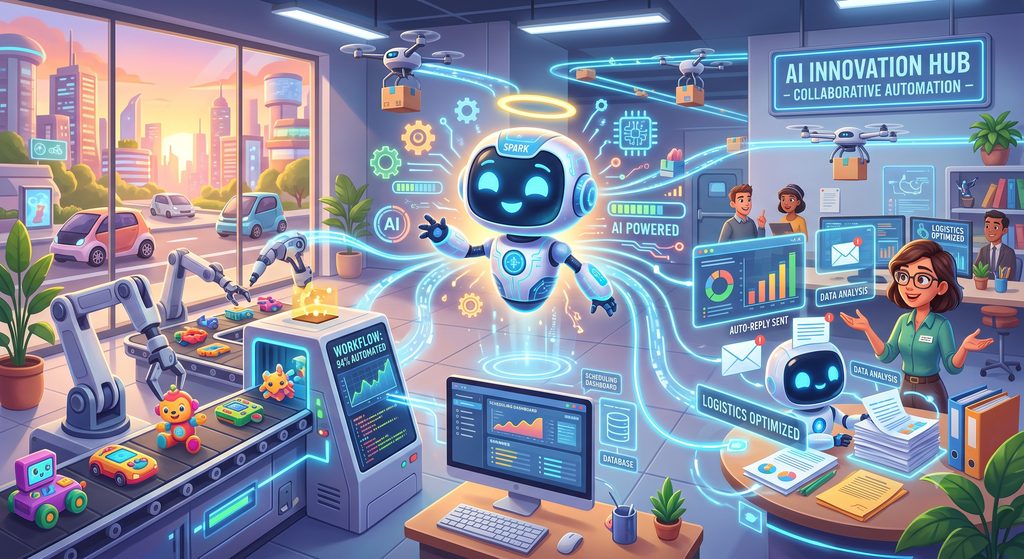
Instead of only following predefined rules, AI can help interpret information and support more complex workflows.
This leads to an important distinction:
Traditional automation asks: “What rule should the system follow?”
AI-powered automation can additionally ask: “What does this information mean, and what should happen next?”
However, AI should not automatically replace rule-based automation.
The technology should match the process.
Business Automation Is More Than Saving Time
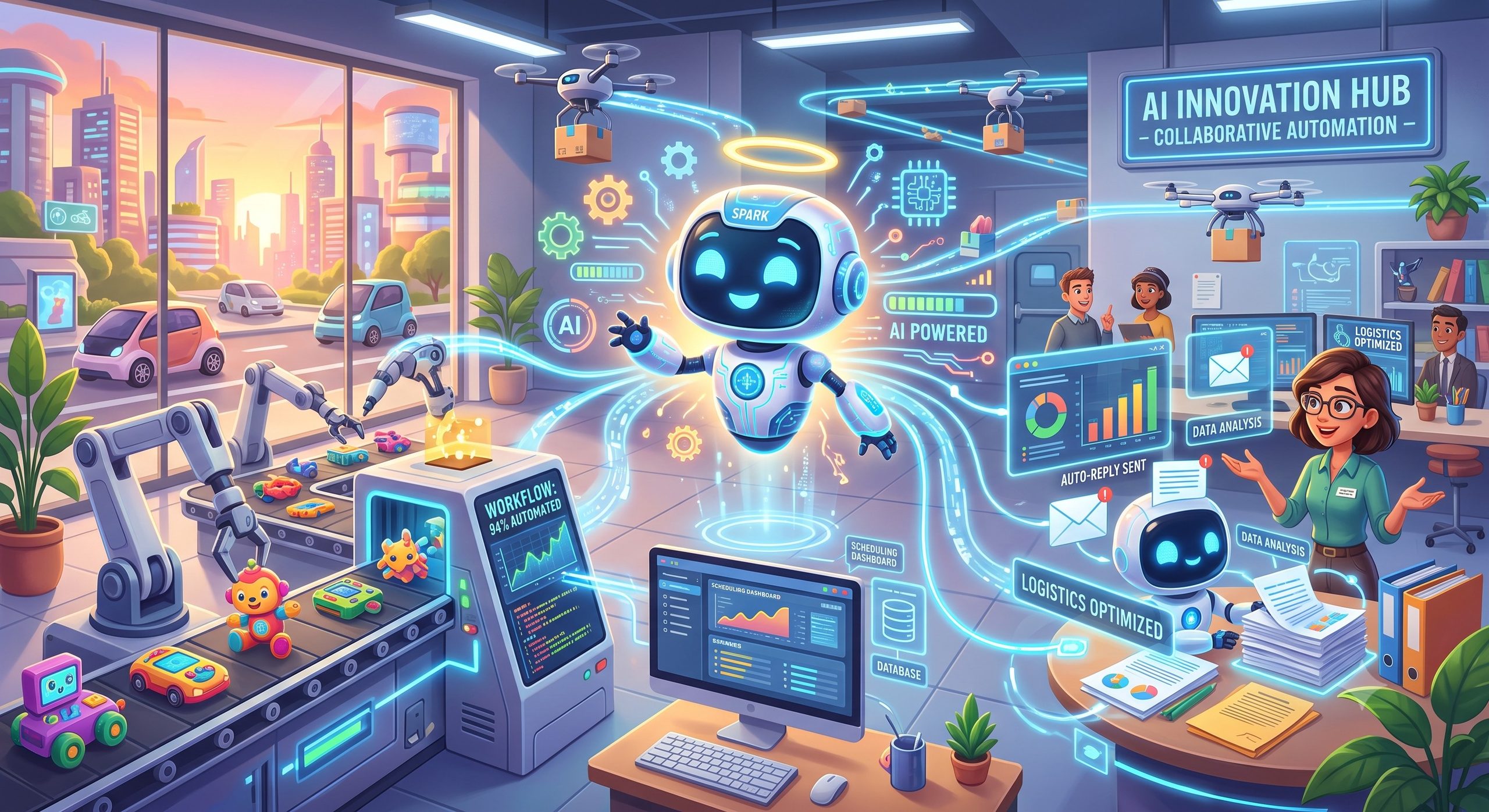
Time savings are an important benefit, but automation can influence several areas of business performance.
A well-designed process can improve:
Efficiency
Less time spent on repetitive activities.
Consistency
Processes follow defined workflows rather than depending entirely on individual habits.
Visibility
Managers can see where processes are and where bottlenecks occur.
Accountability
Responsibilities and process ownership can be clearer.
Data Quality
Standardized workflows can improve how information is captured.
Scalability
Businesses can potentially handle increasing volumes without increasing manual work at the same rate.
Customer Experience
Faster and more consistent processes can improve customer interactions.
The actual outcome depends on implementation quality and the suitability of the process for automation.
Common Mistakes When Automating Business Processes
Automation can fail when businesses focus on technology rather than the process.
Automating an Inefficient Process
If a process contains unnecessary steps, automate it only after evaluating whether those steps should exist.
Automating Everything
Not every task benefits from automation.
Human judgment remains important.
Ignoring Exceptions
Real business processes rarely follow a perfect path every time.
Automation should provide a way to handle exceptions.
Using Disconnected Systems
Automation becomes more difficult when information is scattered across systems that cannot communicate.
Ignoring Employees
People need to understand how the new process works and what their responsibilities are.
Measuring Automation by Activity Instead of Results
Creating 50 automated workflows does not necessarily mean the business improved.
Measure:
Time saved + errors reduced + process speed + business impact
A Practical Framework for Automating a Business Process
Before implementing automation, use this sequence:
1. Map
Document the current process.
2. Identify
Find repetitive and time-consuming activities.
3. Simplify
Remove unnecessary steps.
4. Prioritize
Select the process with the strongest combination of impact and feasibility.
5. Define
Document triggers, rules, actions, approvals, exceptions, and outcomes.
6. Automate
Implement the appropriate workflow, software, integration, or automation technology.
7. Test
Test normal scenarios and exceptions.
8. Measure
Compare performance before and after implementation.
9. Improve
Use the results to optimize the workflow.
This creates a continuous improvement cycle:
Map → Simplify → Automate → Measure → Improve
Frequently Asked Questions
What are the most common business processes that can be automated?
Common candidates include employee on boarding, leave management, expense approvals, invoice processing, lead management, customer follow-ups, document generation, approval workflows, reporting, and task assignment.
What makes a business process suitable for automation?
Processes are generally good candidates when they are repetitive, rules-based, high-volume, time-consuming, and measurable.
Can small businesses automate their processes?
Yes. Small businesses can start with focused processes such as customer follow-ups, approvals, employee administration, reporting, invoicing, and repetitive data entry.
Does automation completely remove human involvement?
No. Many processes are best handled through partial automation, where technology manages repetitive steps while people handle decisions, exceptions, and relationship-based activities.
What is the difference between workflow automation and AI automation?
Workflow automation generally executes predefined rules and steps. AI automation can additionally interpret information, classify content, generate responses, identify patterns, or support decisions.
How do I choose the first process to automate?
Start with a process that occurs frequently, consumes significant manual effort, follows relatively clear rules, creates measurable problems, and has a realistic implementation path.
Is automation expensive?
The cost varies significantly depending on the process, software, integrations, scale, and level of automation required. Businesses should evaluate automation based on expected business value rather than technology cost alone.
Can automation improve customer experience?
Yes. Automation can support faster responses, consistent communication, timely notifications, efficient request processing, and better visibility into customer interactions.
Business Automation Checklist
Before automating a process, ask:
- What problem are we trying to solve?
- How does the current process work?
- How much time does it consume?
- How frequently does it occur?
- Which steps are repetitive?
- Which steps require human judgment?
- What rules can be clearly defined?
- What systems are involved?
- Can the process be simplified first?
- What exceptions need to be handled?
- What data is required?
- How will employees interact with the automated process?
- What risks need to be controlled?
- How will success be measured?
If these questions can be answered clearly, the business is in a stronger position to design an effective automation workflow.
Key Takeaways
- Many common business processes contain repetitive activities that can potentially be automated.
- Employee on boarding, approvals, invoicing, customer follow-ups, reporting, and task management are common automation opportunities.
- The best automation candidate is not necessarily the largest process—it is often the process with high repetition, clear rules, significant manual effort, and measurable outcomes.
- Businesses should simplify processes before automating them.
- Partial automation can be more appropriate than full automation.
- Human judgment remains important for decisions, exceptions, relationships, and complex situations.
- Traditional automation works well for predictable, rule-based processes.
- AI can extend automation into processes involving unstructured information and more complex interpretation.
- Automation should be measured by business outcomes rather than the number of workflows implemented.
From Business Automation to AI Automation
Business automation provides a practical way to reduce repetitive work and improve operational processes.
But technology is evolving beyond predefined workflows.
Traditional automation is highly effective when a process follows clear rules.
AI introduces another possibility: systems can potentially understand information, classify it, generate responses, identify patterns, and support more complex workflows.
This raises an important business question:
When should a business use traditional automation, and when does AI-powered automation make more sense?
That is the focus of the next article in this series:
Related Reading
- What Is Digital Transformation?
- What Is Business Automation?
- AI Automation vs Traditional Business Automation
- What Is Artificial Intelligence?
- What Is Generative AI?
- How AI Agents Are Changing Business Operations
- Why Businesses Outgrow Spreadsheets
- SaaS vs Self-Hosted Software
Related Topics
Share this post

admin
Published on October 21, 2026 • 15 min read
Discussion 0
No comments yet
Be the first to share your thoughts and join the conversation.
Leave a Comment
Your email address will not be published. Required fields are marked *